Coordinating House Help When You Are Not Home
Give each person who works in your home their own lock code that only works during their hours, put a one-press cleaning button in every room, and let the entry log show who came and went. Nobody needs a spare key, and nobody needs the app.
The short version: give each person their own way in that works only during their hours, put one clearly marked button in every room for the light they actually need, and let the door keep its own record. No spare key with the neighbour, no phone call at nine in the morning, and nobody in the family rearranging a day around opening a door.
Two things are worth saying before any of the detail. This is a coordination problem, not a security problem, and treating it as the second one is why most attempts at it feel unpleasant to everybody involved. And the people who clean your home are the heaviest daily users of the automation in it, more hours a week than your guests, your relatives and your electrician combined, which makes it strange that almost every smart home is designed as though they are not there.
How many domestic workers does India have?
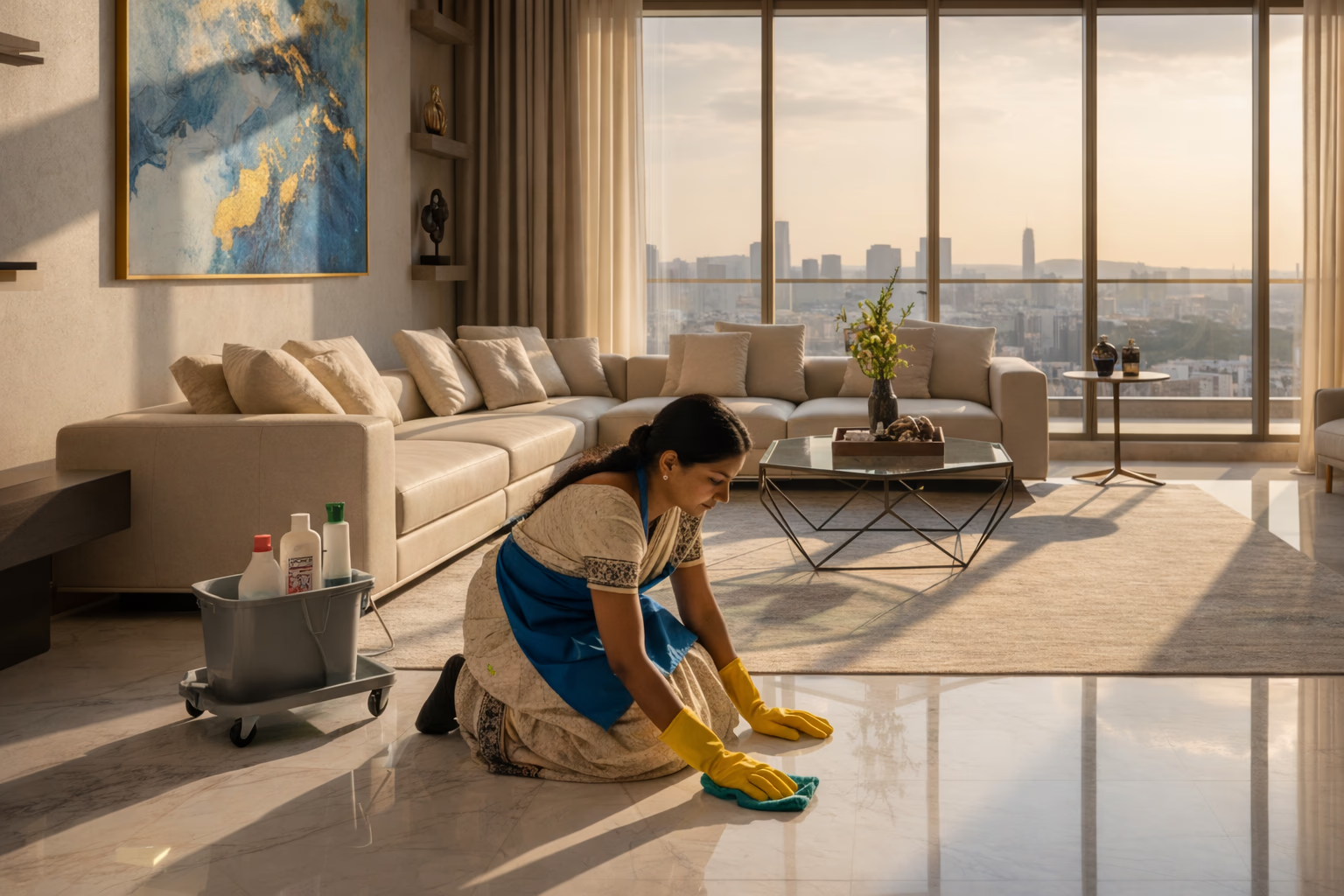
India does not know how many domestic workers it has. The International Labour Organization's India office puts the number at somewhere between three and ten million, and a range that wide is itself the point: most of this work is informal, unregistered and invisible to a survey. India's Labour Bureau went out to about 1.5 lakh households across every state with an All India Survey on Domestic Workers specifically to settle the question.
That gap matters more than the numbers do. A workforce that cannot be counted does not get designed for, and you can see the result in every product catalogue in this industry: pages of scenes for entertaining guests, and nothing at all for the person who is in the house five mornings a week.
In your own flat none of this is abstract. It is one or two people, by name, who arrive on a schedule, need to get in, need light to work by, and need to be able to leave without turning your home into a puzzle they have to solve.
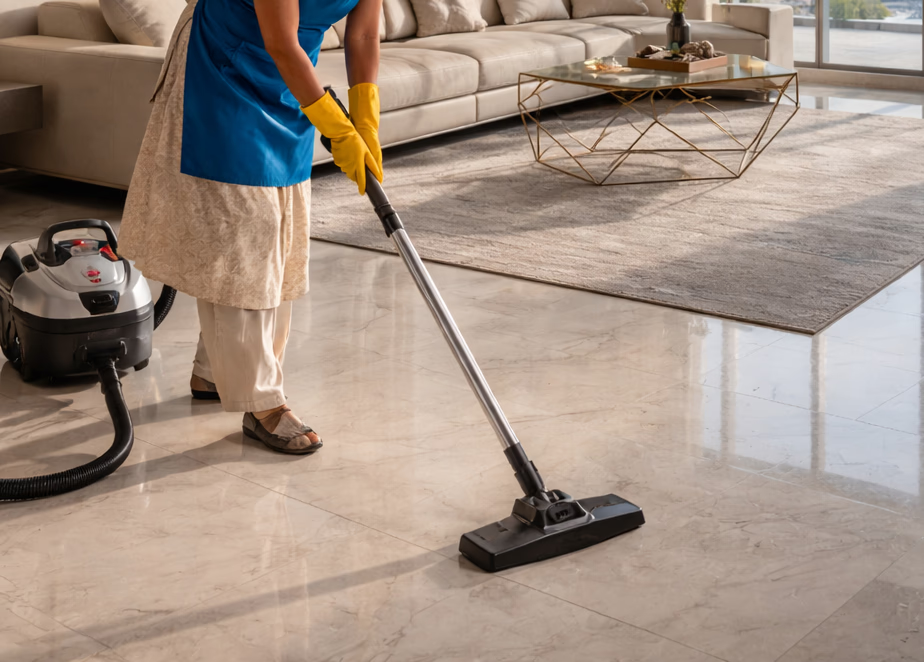
What actually goes wrong at nine in the morning?
Every household with help has solved this badly at least once. The common versions:
- The key with the neighbour One duplicate becomes three, and nobody can say who holds which
- Somebody has to be home A parent gets up early, a call gets moved, the day bends around a door
- The missed morning She rings, nobody answers, she goes home, and the flat is not cleaned
- The phone call You end up on a video call, walking a person through your own hallway
- Everything left running Full lights and every fan on for three hours after she has gone
- The system nobody dares touch A wall of unfamiliar buttons, so she works in the dark half of the room
Only the first four are about the door. The last two are the automation's own fault, and they are the ones a well designed system should be embarrassed by. A house that makes its own daily cleaning harder has failed at something more basic than any scene it can run.
How do you give access without a spare key?
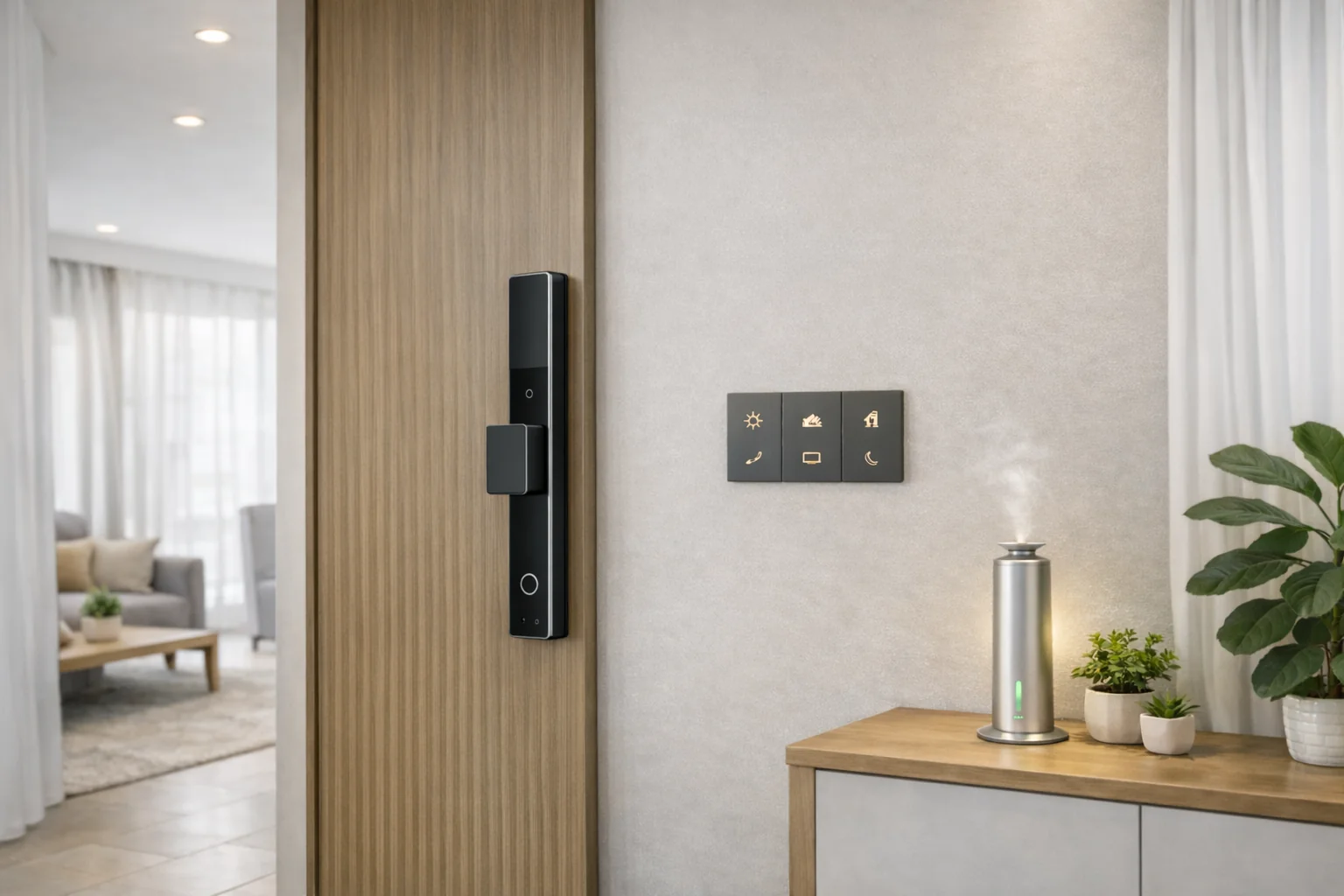
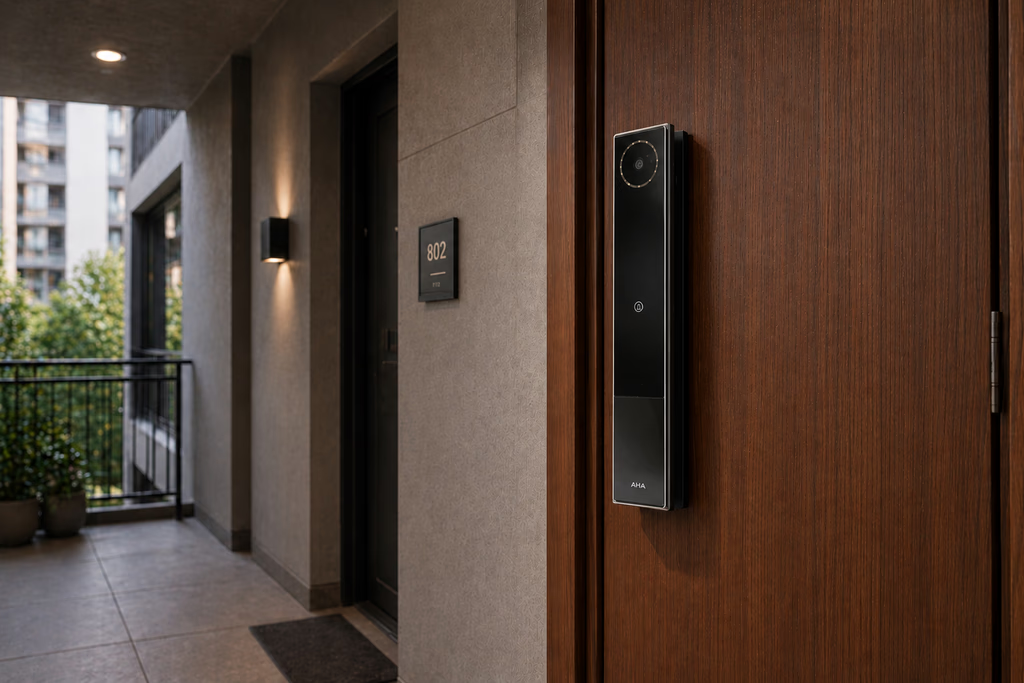
An AHA front door lock opens by face, fingerprint, palm or keypad, and the keypad is the interesting part here, because a code can be limited in ways a key cannot. There are three shapes of limited access, and the difference between them is the whole design of your morning.
- A scheduled password Works only inside the hours and days you set. Right for anybody who comes regularly
- A one time password Opens the door once and then stops. Right for a one off visit or a stand in
- An NFC key card A physical card, nothing to memorise and nothing that can be repeated over a phone call
The point of all three is the same: no spare key ever comes into existence. There is nothing to copy, nothing to lose in a bag on a train, and nothing to chase when arrangements change. Our comparison of smart locks and traditional locks goes through where that trade genuinely favours a key, and the buyer's guide covers how the access methods differ between brands.
For anybody arriving outside their window, the bell is the answer rather than a code. A ring turns on the lock's camera and blinks the lights inside, and the person holding the Administrator role in the app can see who is standing there and open the door from wherever they are. That is the mechanism that ends the nine o'clock phone call: you look, you recognise, you open.
Two smaller things belong here, because they remove awkward conversations rather than create them. Wardrobe locks take a fingerprint, so jewellery and papers are simply not part of the day. And bedroom doors can run a scheduled passage mode, which lets a room be entered freely during a set window and locks itself again automatically afterwards, so the bedrooms are open while cleaning happens and shut the rest of the time without anybody having to remember either state.
If your flat sits empty for weeks rather than hours, the rest of that setup is a different problem, and our guide to managing a Mumbai home remotely while you travel covers it: the backup internet line, the departure routine and the monsoon.
How do six people on six different schedules share one door?
Most Indian households are not coordinating one helper. They are coordinating a cook at seven, a cleaner at nine, a driver on and off all day, a dhobi twice a week and a physiotherapist on Tuesdays. Matching the kind of access to the kind of visit is what stops all of that from collapsing into one shared code that everybody knows.
| Who | What they get | Why that one |
|---|---|---|
| Daily cleaner or cook | Their own scheduled password | Comes on a known rhythm. Set the window once and stop thinking about it |
| A stand in for a week | A one time password each day, or a scheduled one you delete on the last day | Temporary access should expire on its own, not because you remembered |
| Driver | An NFC key card | In and out many times a day. A card is faster than a code and cannot be passed on over a call |
| Dhobi, courier, delivery | Nothing standing. The bell, and a live open from the app | Irregular and brief. There is no window worth defining |
| Plumber, electrician, AC service | A one time password, plus somebody home for the work | You want them let in once, and you want to be there while they work |
| Nurse or physio on fixed days | A scheduled password for those hours only | Regular, and often for a household where nobody can get to the door |
| Family | Face or fingerprint, permanent | Nothing to carry or remember, and each person appears in the log as themselves |
Households where the person at home is an elderly parent are a case of their own, because the helper is often the main daily human contact rather than an errand. Our guide to home automation for elderly parents covers that household from the parent's side, and how AHA sets up a home for an elderly parent shows the system built for it.
What does Cleaning Mode do?
Getting somebody through the door is the easy half. The half that gets skipped is what happens once they are inside, and it is the reason Cleaning Mode exists as a named part of the system rather than a scene somebody sets up later.
Every room gets its own dedicated cleaning button. One press takes that room's lights to 100 percent brightness in a cool white tone, and switches the fans and air conditioning off. A double press keeps the bright light and brings the fan or the air conditioner back, which is the setting anyone actually wants in April.
Both halves of that are deliberate. Bright, cool, colour accurate light is how dust on a dark floor, a smear on a mirror and a stain under a counter become visible at all; the same physics that makes cool white right for a kitchen makes it right for cleaning, which our guide to warm white against cool white works through properly. And a ceiling fan turning over a room being swept moves dust around rather than out, while an air conditioner running with the balcony door open is simply paying to cool the building.
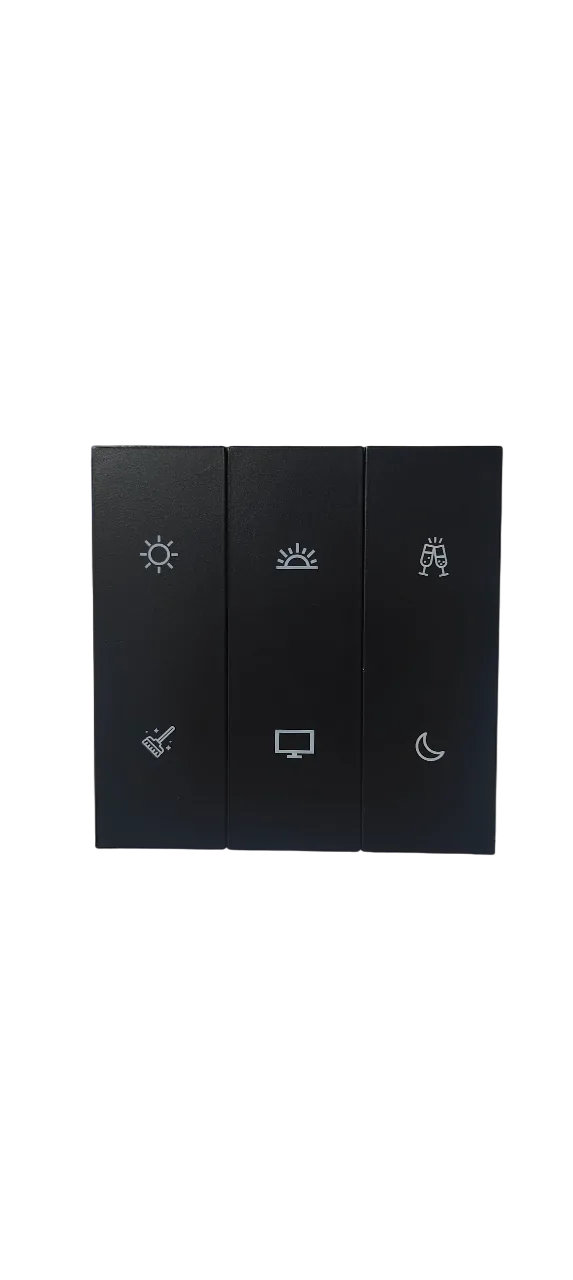
The part that matters most is the part that sounds least impressive. It is one button, in the room, labelled. Nobody has to be told which scene controls what, nobody has to be handed a phone, and nobody has to read an app in a language they may not read. The brightness comes from the driver behind each fitting, so the room's warm evening setting is untouched and comes back the moment the evening scene runs. The button itself is one of the engraved keys on the wall keypad that is already there.
The test a smart home should pass, and mostly does not. Could somebody who has never seen this system, does not have the app, does not own a smartphone you have configured, and does not read English get the light they need on the first try, in the room they are standing in? If the answer is no, the system has failed at the room that is cleaned every single day, which is a worse failure than not being able to dim the lights from a phone in another country.
What should the handover look like on day one?
Ten minutes at the start saves a month of small confusions. What that looks like:
- Their own code Not the family's, not shared with the cook, and set to their hours only
- The button, shown once Stand in the room with the light off, point at it, then let them press it themselves
- A card near the door Three lines in the language they read, with the code and a drawing of which button
- No app, no account There is nothing for them to install and nothing to log into. Keep it that way
- The deadbolt rule Leave it for overnight use. Engaged through the day it turns the digital features off, and their code stops working
- If a code ever fails Ring the bell and wait. Somebody can see the door and open it from a phone
- Charging is the family's job The lock runs about two to two and a half months on a charge, over USB-C, and warns in good time
The deadbolt line is the one that causes a real morning of trouble if nobody mentions it, because the failure looks exactly like a broken lock or a forgotten code, and it is neither.
Is an entry log a record or surveillance?
Every entry and every doorbell ring produces a timestamped photograph. On an AHA lock those photographs live in the app for 14 days and are never uploaded to the cloud. They are not on a server in another country, they are not part of a subscription, and after a fortnight they are gone.
Two rules make that a record rather than a camera pointed at somebody's working day, and they are worth being explicit about because plenty of households get this wrong.
Tell them it exists, on day one, plainly. Not as a warning, as information: the door takes a photograph when it opens, the family can see when people came and went, and that is how the house works for everybody including the family. A record nobody was told about is the thing that damages a working relationship. A record everybody knows about does the opposite.
Use it to answer a question, not to watch a person. The genuine uses are specific and rare. The morning the flat was found unlocked. The delivery that went missing. The week you were away and want to know the cleaning happened. In each of those, a log means nobody has to be accused on the basis of having been the only person there, which protects the person who works in your home at least as much as it protects the people who own it.
A record everybody knows about protects the person being recorded. A record kept quietly protects nobody.
It is also worth being clear about what is not in the house. There are no cameras inside an AHA home. The presence sensors in a bathroom or a walk-in wardrobe detect occupancy, down to the rise and fall of breathing, and that single fact is all they report, to a light. They exist so that a room does not go dark on somebody standing still in it. They do not record, and there is nothing to review.
What happens when somebody leaves, or a festival changes the week?
Staff change. That is the ordinary fact this whole arrangement has to survive, and it is where a key is worst and a code is best.
When somebody stops working for you, you delete their password, card or fingerprint in the app. It takes seconds, it costs nothing, no locksmith is involved, and nobody has to be asked to hand anything back. Compare that with a copied key: you either change the lock or you accept that a stranger's cousin may have a working key to your front door for the rest of the building's life.
When she is away for Ganpati or a fortnight in the village and sends a sister or a cousin to cover, that person gets their own scheduled password with an end date. It stops working on the day it was meant to stop working, whether or not anybody remembers, and the regular code was never shared.
Before a stretch when nobody is home, decide which family member holds the Administrator role in practice, because that is the person a bell at eleven in the morning is going to reach. Sharing that job between five people means it belongs to nobody. Pairing it with a Goodbye routine on the way out means the flat is locked, dark and armed the moment the door closes, which is a better habit than checking.
What does this not fix?
Four honest limits, and one that is not the system's job.
Remote actions need a live connection at both ends. The lock, the scheduled passwords, Cleaning Mode and every schedule run on the hub inside the home, so they work with the internet down. Opening the door from another city does not, because the request has to physically reach the house. If a helper's access depends on you granting it live every morning, you have built a system that fails on the day the line drops. Give the regular people a scheduled window instead, and keep the live grant for exceptions.
A shared code stays shared. A scheduled password limits when, not who. Inside its window it will open the door for whoever knows it. One time passwords and NFC cards are the answers to that, and both are less convenient than a memorised code, which is the real trade rather than a solved problem.
Trust is not a feature. A logged door tells you when it opened. It does not tell you whether to trust somebody, and no amount of hardware will. What it does is make sure that judgement never has to be made on the basis of a missing key or a story about a duplicate.
The building gate is a separate system. Your society's register or visitor app records the gate. Your door records the door. Neither knows about the other, and expecting the two to reconcile is how households end up trusting a log that was never watching the room they care about.
And somebody still has to fit it. AHA designs, supplies, configures and commissions the system, and your electrician installs, mounts and wires it. For a front door lock that means a door leaf that can take one and a hand that hangs it square, which is a real constraint in older Mumbai buildings and one worth checking before anything is ordered. Smart door locks in Mumbai lists what a door needs to take one.
What do people ask us next?
How can I let my maid in when nobody is home?
Give her a scheduled password on the smart lock that works only during her hours, on the days she comes. She lets herself in without anybody being home and without a spare key existing. If she arrives outside that window, she rings the bell, which turns on the lock's camera, and whoever holds the Administrator role can see who is at the door and open it from a phone.
Is it safe to give house help a code to my smart lock?
It is safer than a duplicate key, because a code is limited and a key is not. A scheduled password works only inside the hours you set, it appears in the entry log every time it is used, and you can remove it in seconds from the app with nothing to collect back. A copied key works at three in the morning, forever, and you never find out how many copies exist.
What is Cleaning Mode in a smart home?
Cleaning Mode is a dedicated button in each room that puts that room into a setup made for cleaning. One press takes the lights to 100 percent brightness in a cool white tone, so dust, dirt and stains are easy to see, and switches the fans and air conditioning off so nothing blows dust around. A double press keeps the bright light and brings the fan or air conditioner back for a hot day.
Do I need to teach my house help to use the smart home app?
No, and a system that requires it is badly designed. House help need no app, no account and no login. They need one clearly marked button on the wall in each room, shown to them once, and their own way in through the front door. Everything else in the house should be irrelevant to their work.
What happens if my maid gives the door code to someone else?
A scheduled password limits when it works, not who uses it, so inside that window it will open the door for whoever has it. If that is a concern, use a one time password that expires after a single entry, or an NFC key card, which is a physical thing that cannot be repeated over a phone call. Both are less convenient than a memorised code, which is the honest trade.
Can I see when my house help arrived and left?
Yes. Every entry and every doorbell ring is logged, with a timestamped photograph. On an AHA lock those photographs stay in the app for 14 days and are never uploaded to the cloud. Tell the people who work in your home that the log exists, on day one, and use it to answer a question rather than to watch somebody work. It protects them as much as it protects you.
Does timed door access still work if the internet is down?
Yes. The lock itself, the scheduled passwords and every scene and schedule run on the hub inside the home, so they keep working with the internet down. What needs a connection is anything remote: opening the door from your phone while you are elsewhere, or seeing who rang the bell. Both ends need to be online for that, and there is no way around it.
How do I remove access when someone stops working for us?
Delete their password, card or fingerprint in the app. It takes seconds, it costs nothing, there is no lock to change and nothing to ask them to hand back. That is the practical reason households with staff coming and going move to a smart lock, ahead of any of the convenience features.
What is the short version?
Give every regular person their own timed way in and no spare key to anybody. Use the bell and a live open for everyone irregular. Put one labelled cleaning button in every room and show it once. Tell the people who work in your home that the door keeps a record, on the first day, and then use that record the way you would use any record. Leave the deadbolt for overnight.
None of that is impressive technology, which is exactly why it gets left out. It is also the part of a smart home that gets used every single morning, by the person whose work the house depends on most and whose experience of it nobody asked about. Our AHA experiences pages walk through how scenes like this are planned as a set of daily habits rather than a list of features, and Cleaning Mode is the one we would defend hardest.
If you are planning a home around the people who help run it, it is worth seeing the lock and the keypads in a real room before deciding anything. Both AHA experience centres, in Santacruz West and Lower Parel, are laid out as real homes rather than showrooms, open from 11am to 7pm (Santacruz West is closed on Tuesdays).
Book a free consultation →